Motorcycle Adventures and Free Software
Henri Bergius
Biker, free software consultant, neogeographer

This entry was posted on 2010-02-24 13:57:09 UTC in 60° 10.080 N 24° 55.578 E Helsinki, FI to

Register and log into meego.com using your maemo.org account
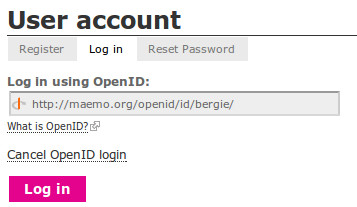
MeeGo is the new mobile Linux platform developed by Nokia and Intel. As the community is forming up, we thought that it would be good to enable people to use their maemo.org identities also on the MeeGo web services (as well as on any other OpenID enabled website). For this, let me introduce Maemo's OpenID provider.

First of all, go to meego.com and click login:
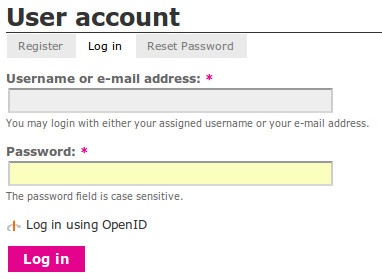
meego-login.png

Select the "Log in using OpenID" option, and provide your maemo.org OpenID URL:
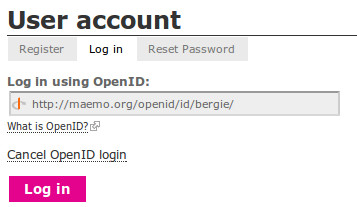
meego-maemo-openid.png

Then the request will be redirected to maemo.org where the site will check your credentials and ask whether to relay your information on to meego.com:
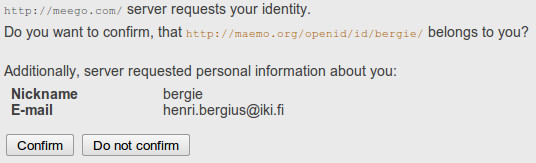
maemo-openid-meego.png

And that's it, suddenly you can use your maemo.org account with meego.com!


The same OpenID provider component can also be utilized on any other Midgard-powered website.

Sponsored links

Microsoft Certification Exams save money using, phone card

Comments:

Todor Tsankov on 02/24/10 15:11:21

Apparently the transition is not 100% seamless as my username was rejected, because it contains underscore - a valid character in maemo.org - which is unfortunately invalid on meego.com site

Andrea Grandi on 02/24/10 15:14:39

what if i've already subscribed creating a new account on Meego.com? Ho do I delete it?

Henri Bergius on 02/24/10 15:21:38

@Andrea go to "My account" on meego.com, click "OpenID identities" and you can add your maemo.org OpenID there. Then you can log into meego.com using either direct login/password or maemo.org

Andrea Grandi on 02/24/10 15:27:57

@Henri Bergius ok, it works now. By the way you have to be logged into maemo.org first or you'll get an authenticatin error.

Post a comment:

Post a comment via Google Buzz

Back